Porsche 911 GT3 S/C: The First-Ever 9,000 RPM GT3 Convertible
April 15, 2026
Nintendo Music Update: Tomodachi Life Switch Launch Soundtrack
April 16, 2026
Google Elevates Desktop AI: Native Gemini App for Mac Officially Rolls Out
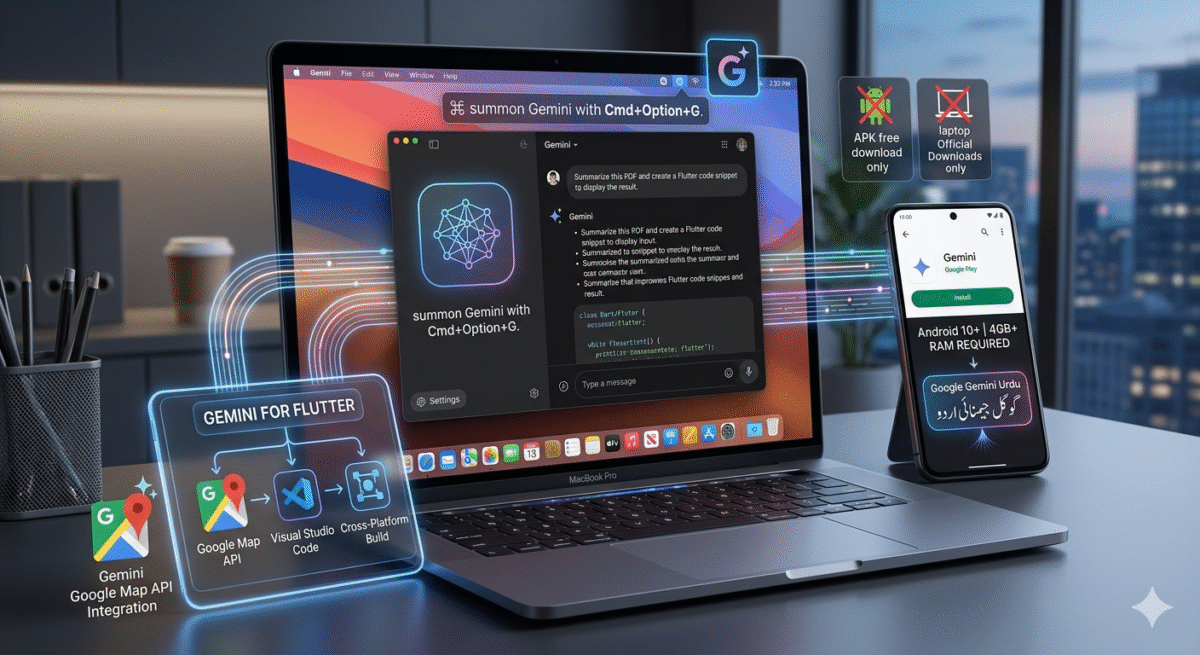
In a significant move to unify its AI ecosystem across platforms, Google has officially launched a native Gemini app for Mac. Following the success of its mobile counterparts, this desktop expansion brings Google’s most advanced artificial intelligence directly to macOS, offering a more integrated and powerful experience for Apple users.
For those who have been searching for a reliable Gemini Google for laptop solution, this release marks the end of relying solely on web browsers to access Google’s AI models.
A Seamless macOS Integration
The new native app is designed specifically for the Mac interface, supporting features like Keyboard Shortcuts, Menu Bar access, and a floating window mode that allows users to interact with the AI while working in other applications. This is a massive step up from the browser-based experience, providing lower latency and better system-level integration.
Key Features of Gemini for Mac:
- Drag-and-Drop Capability: Users can now drag files, images, and documents directly into the Gemini window for instant analysis or summarization.
- System-Wide Accessibility: With a quick hotkey, the AI can be summoned to help with drafting emails in Mail or organizing data in Numbers.
- Multi-Modal Inputs: Much like the mobile version, the Mac app supports voice commands and screen-sharing for troubleshooting or creative brainstorming.
Expanding the Gemini Ecosystem
While the Mac app is the headline news, Google is simultaneously pushing the boundaries of Gemini across several other technical fronts:
1. Google Gemini for Flutter
For developers, the integration of Google Gemini for Flutter is a game-changer. This allows mobile and desktop app creators to embed generative AI features directly into their cross-platform applications using a single codebase. Whether you are building a chat interface or an automated content generator, the Flutter SDK now makes Gemini integration seamless.
2. Gemini Google Map API
Google is also enhancing location-based services with the Gemini Google Map API. This integration allows developers to create “conversational” navigation experiences, where the map can understand complex queries like, “Find me a quiet coffee shop near a park with outdoor seating,” and provide nuanced recommendations based on real-time data.
Compatibility and Access
As the rollout continues, many users are checking their device compatibility. While the Mac app requires a modern version of macOS (typically Monterey or later), mobile users have different benchmarks.
- Gemini App Android Requirements: For those using the mobile version, your device generally needs at least 4GB of RAM and must be running Android 10 or higher.
- Language Support: In an effort to make AI more inclusive, Google has expanded Google Gemini Urdu support, allowing millions of speakers in Pakistan and around the world to interact with the AI in their native language with high accuracy.
Security and Safe Downloads
With the popularity of the tool, many users look for a Google Gemini APK free download. It is highly recommended to only download the Gemini app from official sources like the Mac App Store, the Google Play Store, or the official Google Gemini website. Third-party APKs can often contain malware or outdated versions of the AI model that lack the latest security patches.
Frequently Asked Questions (FAQs)
1. Is the Gemini app for Mac free to use?
Yes, the basic version of the Gemini app for Mac is free. However, users who require advanced features, such as the Gemini 1.5 Pro model or extra cloud storage, can subscribe to the Gemini Advanced plan (often bundled with Google One).
2. Does the Mac app work offline?
No. Like most high-level LLMs (Large Language Models), the Gemini app requires an active internet connection to process queries through Google’s cloud servers.
3. Can I use Gemini in Urdu on my Mac?
Yes! Google Gemini Urdu support is baked into the system. You can type or speak in Urdu, and the AI will respond in the same language, making it a powerful tool for translation and local content creation.
4. How does the “Gemini App” differ from the “Google Assistant”?
While Google Assistant is great for quick tasks like setting timers, Gemini is a generative AI designed for complex reasoning, writing, coding, and creative work. On Mac, Gemini acts more like a personal co-pilot for your professional and creative projects.
5. Can developers use Gemini in their own apps?
Yes, through Google Gemini for Flutter and various APIs (including the Google Map API), developers can integrate Gemini’s capabilities into their own software projects.
🚀 Transform Your Brand with TechInDesigns
Your brand deserves a visual identity that speaks volumes. At TechInDesigns, we craft stunning custom logo designs, branding assets, and creative visuals that help your business stand out and connect with your audience at first glance. Our expert designers tailor every concept to reflect your vision and boost your brand’s impact online and offline.
📩 Ready to Elevate Your Brand Identity?
Connect with TechInDesigns today and bring your ideas to life with powerful logo design, strategic branding, and eye-catching graphics that drive recognition and growth.