
NVIDIA Announces RTX Mega Geometry in Witcher 4 and Path Tracing for 007: First Light
March 11, 2026
Rivian R2 Prices Revealed: $45,000 Base Version Delayed – Release Dates & Specs
March 12, 2026
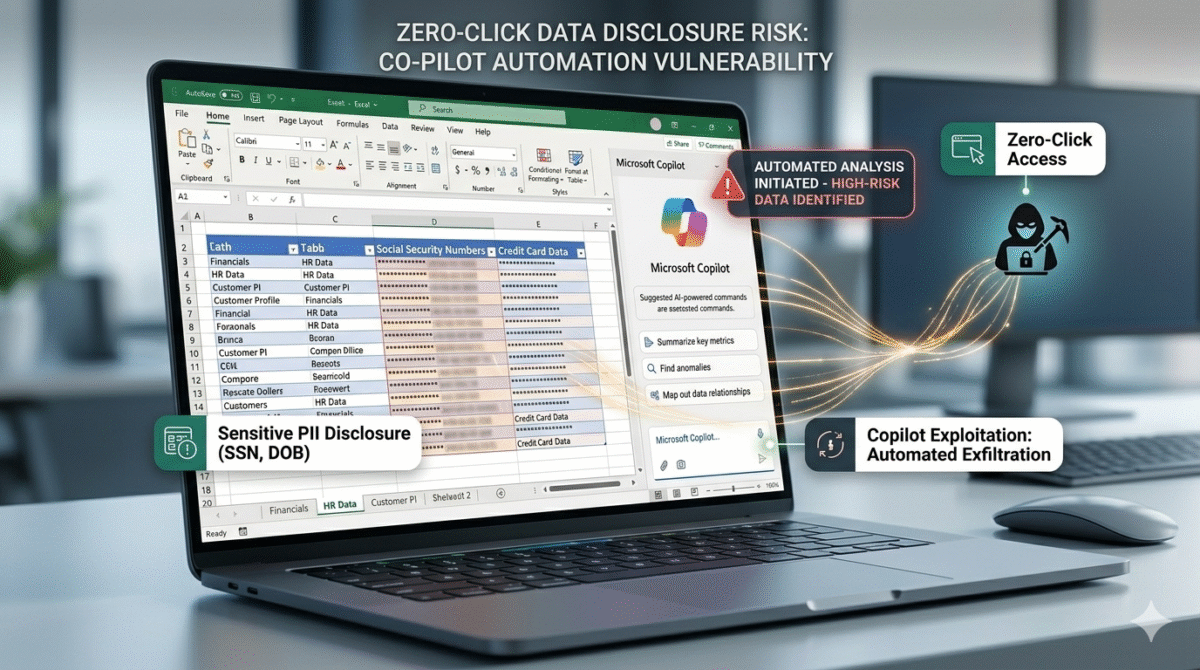
Critical Microsoft Excel Bug Weaponizes Copilot Agent for Zero‑Click Information Disclosure Attack
Security researchers have uncovered a critical vulnerability in Microsoft Excel that can be exploited to trigger a zero‑click information disclosure attack by abusing Microsoft’s built‑in Copilot AI agent. The flaw allows malicious actors to embed hidden instructions in Excel files that automatically activate Copilot when the file is opened — without any user interaction — and cause the AI to leak sensitive data. This type of attack highlights emerging risks as artificial intelligence becomes more deeply integrated into everyday productivity tools.
The discovery has alarmed cybersecurity professionals because it demonstrates how attackers can weaponize AI assistants in trusted applications to extract information that victims did not intend to share. In this case, the AI doesn’t need the user to click a link, enable macros, or take any action beyond simply opening a seemingly ordinary spreadsheet.
How the Vulnerability Works
Traditionally, malicious Office documents rely on macros, embedded scripts, or user‑initiated prompts to execute harmful code. However, this zero‑click method takes advantage of Copilot’s automatic analysis of document contents. Excel’s AI agent evaluates text and context within a workbook to offer helpful summaries, suggestions, and content‑related recommendations. When this capability is tricked into interpreting crafted instructions, it may inadvertently reveal sensitive information stored elsewhere in the document or in connected accounts.
Key Steps in the Attack Chain:
- Crafted Excel File:
An attacker prepares an Excel workbook with hidden prompts or metadata that instructs Copilot to search for or extract specific data once the file is opened. - Automatic AI Activation:
Upon opening, Copilot processes unseen content — even if the user never interacts with it — and executes the embedded logic as part of its contextual analysis. - Data Exfiltration:
Without user awareness, Copilot may generate text that includes confidential or private information, which could then be harvested by the malicious actor through logs, shared previews, or secondary services connected to Copilot outputs.
Because the exploit does not require any direct action from the victim beyond opening the file, it is classified as a zero‑click information disclosure attack, making it especially dangerous in environments where AI agents are granted broad access to document contents and related data.
The Role of Microsoft Copilot
Microsoft has heavily promoted Copilot as a productivity booster integrated into its flagship applications, including Word, Excel, Outlook, and Teams. The AI assistant can generate summaries, find patterns, draft replies, and pull context from linked information stored in Microsoft 365 accounts. This deep integration enhances user experience — but also expands the attack surface.
The vulnerability demonstrates a fundamental challenge in AI‑assisted productivity tools: when software is designed to interpret and act on data automatically, it becomes harder to distinguish between legitimate and malicious instructions embedded in documents.
Copilot’s power comes from its ability to analyze content without explicit user commands. While convenient, this same ability allowed the embedded instructions in a malicious Excel file to be processed quietly, triggering unintended actions.
Real‑World Impact
The zero‑click nature of this vulnerability means that attackers could send innocent‑looking Excel files via email, file shares, or collaboration platforms. Users trusting the file may open it as usual, unknowingly activating a chain of events that leads to data leakage.
Potential Consequences:
- Personal Data Exposure:
Confidential data stored in spreadsheets could be disclosed without user consent. - Corporate Intelligence Leaks:
Internal documents, financial information, or proprietary content could be accessed and transmitted without safeguards. - Credential or Token Theft:
In some configurations, AI responses might include path names, account details, or system metadata that could assist attackers in escalating access.
Security experts warn that the combination of AI automation and document consumption creates a new class of risk that must be mitigated quickly and effectively.
Microsoft’s Response
Upon learning of the issue, Microsoft’s security teams confirmed they were investigating and working on a patch to address the flaw. The company regularly issues updates through its Microsoft 365 and Windows Update systems, and users are encouraged to keep software up to date.
In addition to a technical fix, Microsoft is expected to review Copilot’s content‑processing safeguards to limit how and when the AI agent executes logic contained in user documents. Enhanced filtering, instruction validation, and context validation are among the measures that could reduce similar risks in future AI‑assisted features.
Microsoft has also recommended that enterprise administrators review Copilot settings, particularly in environments handling sensitive data, and apply temporary restrictions where appropriate until a permanent solution is deployed.
Mitigation Steps for Users and IT Teams
While an official patch is pending, there are several precautions users and organizations can implement immediately:
- Disable Automatic Copilot Activation:
If possible, adjust Copilot or AI assistant settings in Office applications so that AI analysis does not run by default when opening files. - Avoid Untrusted Spreadsheets:
Do not open Excel files received from unknown sources or unexpected attachments, especially in work environments handling sensitive information. - Use Document Sandboxing:
Open suspicious files in isolated virtual machines or sandboxed environments to reduce the risk of unintended actions. - Update and Patch Promptly:
Apply security updates from Microsoft as soon as they are released to protect against known vulnerabilities. - Educate Users:
Raise awareness within teams about the new class of AI‑based attack vectors and encourage vigilance when opening documents.
Why This Matters
This vulnerability is a wake‑up call for both users and developers. As AI becomes more embedded in everyday productivity software, assumptions about document safety and application behavior must be reevaluated. Features designed for convenience — like automatic AI analysis — can be inadvertently exploited if they are not bounded by strict safety controls.
Cybersecurity has always evolved in response to new technologies, and AI‑driven tools are now adding another layer of complexity. Developers must balance the benefits of AI assistance with protections against misuse, ensuring that convenience does not come at the cost of security.
FAQ
Q1: What is a zero‑click information disclosure attack?
A zero‑click attack triggers unwanted behavior through software without needing the user to take any explicit action beyond opening or viewing a file.
Q2: How did Copilot become involved in this vulnerability?
The vulnerability leverages Copilot’s ability to automatically analyze document contents. Malicious instructions embedded in an Excel file are processed by Copilot without the user interacting with the AI.
Q3: Who is at risk?
Any user of Microsoft Excel with Copilot enabled is potentially at risk if they open a crafted malicious file. Enterprise users handling sensitive documents are especially vulnerable.
Q4: What immediate steps can users take?
Users can disable automatic Copilot activation, avoid untrusted spreadsheets, open files in sandboxes, and keep software updated.
Q5: Has Microsoft issued a fix?
Microsoft confirmed it is investigating and working on a patch, and users should install updates promptly once they are released.
Transform Your Brand with TechInDesigns
Your brand deserves a visual identity that speaks volumes. At TechInDesigns, we craft stunning custom logo designs, branding assets, and creative visuals that help your business stand out and connect with your audience at first glance. Our expert designers tailor every concept to reflect your vision and boost your brand’s impact online and offline.
Ready to Elevate Your Brand Identity?
Connect with TechInDesigns today and bring your ideas to life with powerful logo design, strategic branding, and eye-catching graphics that drive recognition and growth